What is lead time, and how do you calculate it?
By Andrew Simpson, founder of Canopy Inventory. Last updated .
Quick answer
Lead time is the time from placing an order with your supplier to the stock being on your shelf and ready to sell. To calculate it, count the days from the order date to the date the stock was sellable: ordered on 1st March, sellable on 30th April, is 60 days. Measure it on several past orders from each supplier, and plan with a figure that covers the slower ones, not just the average.

What does lead time mean?
In stock planning, lead time usually means supplier lead time (also called replenishment lead time): how long you wait between ordering and being able to sell what you ordered. Two other meanings come up:
Manufacturing or production lead time is only the part where the goods are made. Customer lead time is how long your customer waits for their order. This guide is about supplier lead time, because that is the one that decides when you need to reorder.
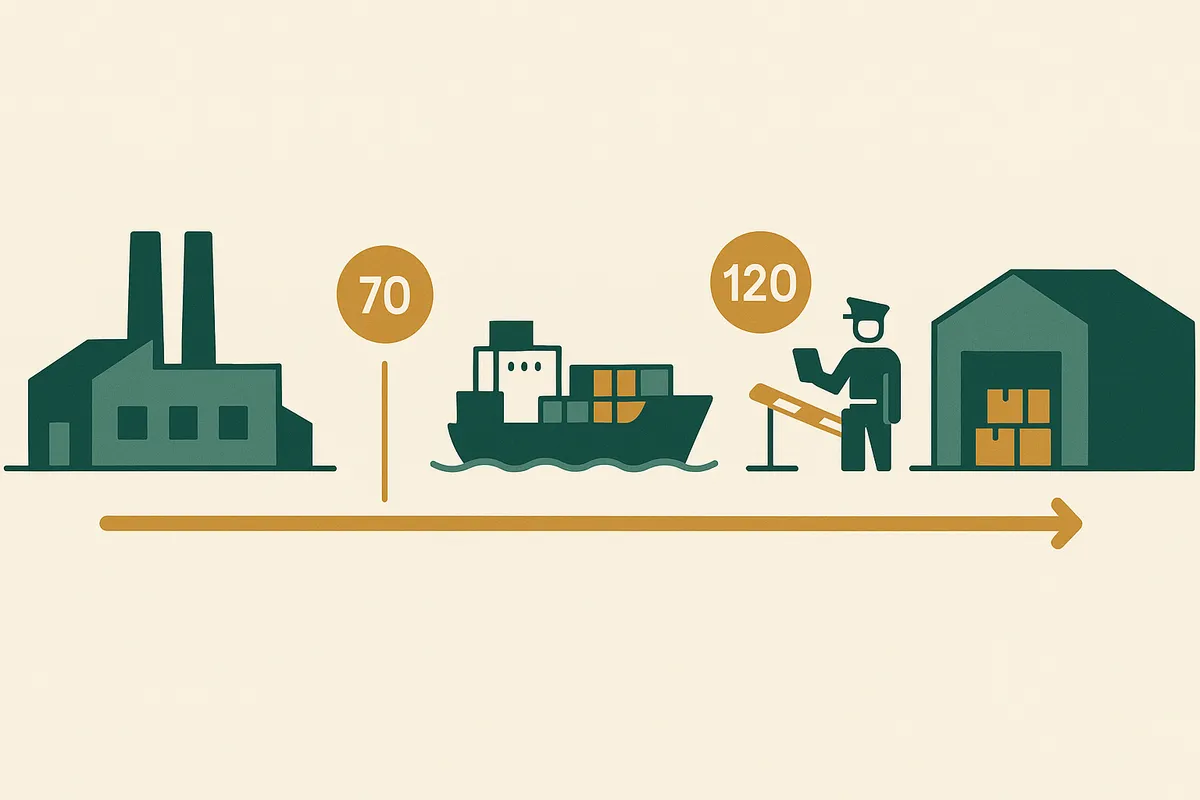
What supplier lead time includes
- Order processing: the supplier confirms the order, and any deposit or artwork sign-off is done.
- Production: the goods are made, or picked if the supplier holds stock.
- Transit: the goods travel to you, by road, air or sea.
- Customs: clearance for imports, including any checks.
- Receiving: the delivery is unpacked, checked, put away and added to your stock in Shopify. Until then it cannot sell.
Each part can vary. A supplier quoting "30 days" often means production only, so ask what their figure covers and add the rest yourself.
How to calculate lead time
Lead time (days) = date the stock is ready to sell - date the order was placed
Lead time = order processing + production + transit + customs + receiving
Use the first formula for orders you have already received: it is the real figure. Use the second to estimate a new supplier or a new route, adding up each part.
Worked example
Example (made-up round numbers)
Average lead time = (52 + 58 + 61 + 55 + 74) / 5 = 300 / 5 = 60 days.
Longest = 74 days, which is 14 days more than the average.
How to measure lead time from your own purchase orders
- For each supplier, list your recent orders with two dates: when you placed the order, and when the stock was received and ready to sell.
- Count the days between them for each order.
- Work out the average, and note the longest.
- Keep it per supplier, and per route if one supplier ships both by air and by sea.
- Update it after every delivery, so a supplier that is getting slower shows up quickly.
Average lead time vs worst case
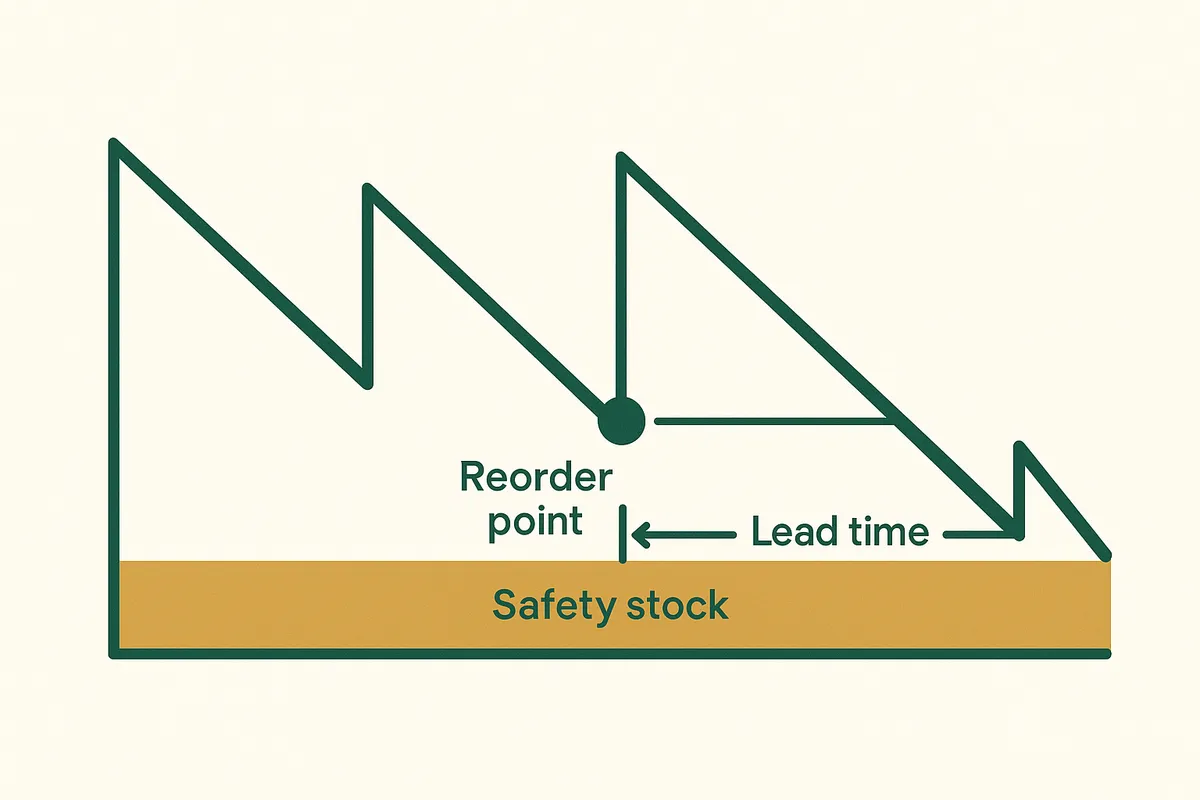
An average is beaten by some deliveries and missed by others: plan on the average and the slower deliveries arrive after you expected them. There are two ways to cover that. You can plan on a longer lead time, or keep the average and hold safety stock in days to cover the gap. In the example above, 14 days of safety stock covers a delivery as late as the slowest one, provided sales run at their normal rate.
Do one or the other, not both, or you are covering the same risk twice and tying up extra cash. The safety stock formula guide covers how to size the buffer when sales vary as well.
How lead time sets your reorder date and order size
Lead time does not change when you run out: that depends on stock and sales. It changes when you have to order. Multiply it by daily sales and you get lead time demand, the core of the reorder point formula.
Reorder-by date = stockout date - (lead time days + safety stock days)
Buy quantity = (lead time + target cover + safety stock days) x daily sales - (stock + units on order)
Example (made-up round numbers)
Reorder-by date = 100 - (60 + 14) = 26 days from today.
If the supplier's lead time grows to 74 days, the reorder-by date moves to 100 - (74 + 14) = 12 days from today: two weeks less to act.
A longer lead time also means a bigger order, because the stock has to last longer. Compare lead time with weeks of cover: when cover gets close to lead time plus safety stock, it is time to order. Try it with the weeks of cover calculator.
How to track lead time in Shopify
If you raise purchase orders in Shopify, they give you the order side of the record:
- Go to Products > Purchase orders, click Create purchase order and choose the supplier.
- When the supplier confirms, mark the purchase order as Ordered. Note this date as the order date.
- When the goods arrive, open the transfer linked to the purchase order in Products > Transfers and click Receive items. You can receive each shipment as it arrives.
- Shopify's help pages do not say that the receiving date is stored on the purchase order, so note the date the last of the stock was received in your lead time spreadsheet.
How Canopy Inventory uses lead time
Canopy Inventory, a read-only Shopify app coming soon to the Shopify App Store, has a lead time setting from 0 to 365 days. It starts at 30 days. It is set for the whole shop on the Free plan, and per supplier and per SKU on Growth.
Lead time does not change the stockout date. It moves the reorder-by date (the stockout date minus lead time and safety stock days) and goes into the suggested buy quantity (lead time plus target cover plus safety stock, in days). A SKU still on the 30-day default can be rated no higher than Medium confidence, as a reminder to enter the real figure. All the rules are on how Canopy Inventory calculates.
Reorder-by dates that use your real lead times
Canopy Inventory shows how many weeks of stock each SKU has left, when it runs out and what to reorder. Read-only. Free for your 50 most recently sold SKUs.
Sources
- Shopify Help Center, Creating purchase orders. Checked 6th November 2026.
- Shopify Help Center, Purchase orders (draft and Ordered status). Checked 6th November 2026.
- Shopify Help Center, Receiving inventory from a purchase order. Checked 6th November 2026.
- Canopy Inventory's own rules: how Canopy Inventory calculates.
Frequently Asked Questions
Lead time is how long you wait between placing an order and being able to sell the stock. In stock planning it usually means supplier lead time: order processing, production, transit, customs and receiving.
Count the days from the date you placed the order to the date the stock was ready to sell. Do it for several past orders from the same supplier and work out the average and the longest.
Either plan on the average and hold safety stock in days to cover slower deliveries, or plan on a longer figure with less safety stock. Doing both covers the same risk twice.
Lead time demand is what you expect to sell while you wait for an order: average daily sales x lead time in days.
No. When you run out depends on stock and sales. Lead time changes when you must order: the reorder-by date is the stockout date minus lead time and safety stock days.
Related pages
Related Articles
Reorder Point Formula: How to Calculate When to Reorder Stock
Reorder point = daily sales x lead time + safety stock. Worked examples in units and days, how to know when to reorder, and how to set it up from Shopify.
Safety Stock Formula: Days, Units and Statistical Methods
Four ways to calculate safety stock: days, fixed units, max minus average and the statistical formula, with one worked example and Shopify steps.
Importing From China: How to Plan Stock Around Long Lead Times
Plan stock around long lead times from China: measure the full lead time, set reorder-by dates, size orders and track stock on order in Shopify.
Get the Canopy Inventory install link
Canopy Inventory is coming soon to the Shopify App Store. One email the day it's live. Free for your 50 most recently sold SKUs.