Supplier Portals: The Game-Changer for China Sourcing
By Canopy Team
Quick answer
A supplier portal gives your manufacturer or supplier read-only access to your purchase order data, eliminating the back-and-forth of spreadsheets and emails that causes packing errors. Instead of you sending a PO via email, your supplier logs into the portal, sees exactly what needs to be produced and shipped, creates packing lists from the PO data, and confirms quantities against your order. For brands sourcing from China, where language barriers and time zone differences compound communication errors, a supplier portal can reduce packing discrepancies by 80-90%.
The email-and-spreadsheet problem
The standard China sourcing workflow for most ecommerce brands looks like this: you create a purchase order in your system (or a spreadsheet). You export it to Excel or PDF. You email it to your supplier. Your supplier opens the email, reads the document, and manually re-enters the data into their production system. Every manual re-entry is an error opportunity. SKU codes get transposed. Quantities for similar variants get swapped. A request for 200 units of "Navy Tartan Small" becomes 200 units of "Navy Tartan Medium" because the factory worker reading the PO is working from an English-language document in a Chinese-speaking environment.
Then the reverse happens: when the order is packed, the supplier creates a packing list (again, manually) and emails it back. You compare it against your original PO. Discrepancies get discussed over email with a 12-hour timezone delay. A single error that could be caught in real-time takes 3-5 days to resolve via email.
What a supplier portal actually does
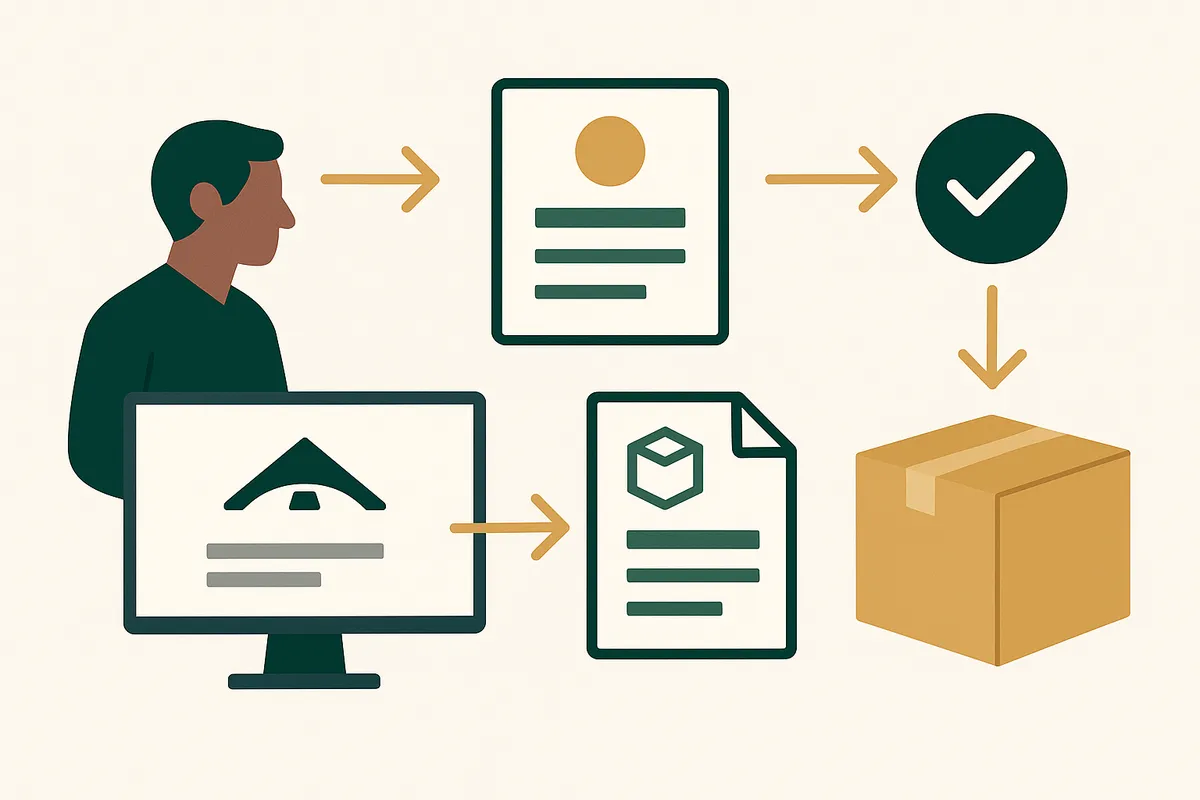
A supplier portal is a secure web interface where your supplier can log in and see their purchase orders from you — and only their orders. They do not see your costs, margins, other suppliers, or any business data beyond what they need to fulfil your orders. The key capabilities that prevent errors:
Direct PO access: Your supplier sees the exact same purchase order data you see. No email translation, no manual re-entry, no interpretation of an Excel file. SKU codes, quantities, variants, and delivery dates are presented identically.
Packing list generation: Instead of creating a packing list from scratch, your supplier generates it directly from the PO data. They select which PO lines are being shipped, enter the actual packed quantities, and the system automatically flags any discrepancies between ordered and packed amounts.
Delivery confirmation: The supplier confirms when goods ship, enters tracking numbers, and updates expected arrival dates. You see this in real-time instead of waiting for an email update.
History and audit trail: Every interaction is logged. If there is a discrepancy in a shipment, you can trace exactly what was ordered, what was confirmed, and what was packed — without searching through email threads.
How Bailey & Coco's China supplier uses the portal
Bailey & Coco's primary supplier is a factory in Guangzhou that produces their collar, harness, and lead range — approximately 150 SKUs across 152 pattern variants. Before implementing a supplier portal, every order followed the email workflow: PO created in a spreadsheet, emailed to the factory, manually re-entered into their production tracking system.
The error rate was approximately 4-6% per shipment. On a typical order of 3,500 units across 60 SKUs, that meant 140-210 units of incorrect items — wrong sizes, wrong patterns, occasionally wrong products entirely. Each error cost time (sorting, re-labelling, or returning) and sometimes resulted in stockouts on the correct item while the wrong item sat unsold.
After implementing a supplier portal, the process changed fundamentally. Bailey & Coco creates the PO in their inventory system. The supplier logs into the portal (a simple URL with login credentials) and sees the order immediately — formatted clearly with pattern images alongside SKU codes, so visual confirmation is possible even for workers who do not read English fluently.
The supplier's quality control team generates the packing list from the portal, scanning each item's barcode against the PO line items. If a scanned item does not match the PO, the system flags it immediately. Packing discrepancies dropped from 4-6% to 0.3% — and the remaining 0.3% were mostly labelling defects on the products themselves, not order fulfilment errors.
Give your supplier the clarity they need
Canopy gives Shopify brands the inventory clarity they need to grow.

The language barrier solution
One of the most underappreciated benefits of a supplier portal is that it reduces reliance on language. An email-based PO requires the supplier to read, understand, and correctly interpret written instructions — often in a second language. Errors are not caused by lack of intelligence or care. They are caused by ambiguity in text-based communication across languages.
A portal replaces ambiguous text with structured data. A SKU code is a SKU code in any language. A quantity field containing "200" is unambiguous. A product image next to the line item provides visual confirmation that no amount of text description can match. For brands working with suppliers where English is not the primary language — which is the majority of China sourcing relationships — this structured data approach eliminates an entire category of communication errors.
Setting up a supplier portal: what you need
Implementing a supplier portal requires three things: the software, supplier onboarding, and process change on both sides.
The software needs to be web-based (your supplier accesses it via a browser — no app installation required in a factory environment), mobile-friendly (factory floor workers often use phones, not desktop computers), and secure (role-based access so your supplier only sees their data).
Supplier onboarding is simpler than you expect. Most factory managers are delighted to use a portal because it reduces their errors too — returned goods and re-work cost them money. The typical onboarding is a 30-minute video call to walk through the interface, followed by one guided PO cycle where you support them through the process.
The process change on your side is equally straightforward: stop sending PO emails. When you create a PO, your supplier gets a notification to log in and review it. All communication about that order happens within the portal, creating a complete audit trail.
Why this is a game-changer feature
The supplier portal is the feature that, in our experience, delivers the most dramatic ROI improvement of any inventory management capability. More than demand forecasting. More than weeks cover. More than barcode scanning. Because it addresses the root cause of the most expensive inventory problems: incorrect stock arriving from your supplier. A demand forecast can be 90% accurate and still suggest the right reorder quantity. But if your supplier sends the wrong items 5% of the time, your on-hand inventory data is wrong, your weeks cover calculations are wrong, and your next reorder decision is based on incorrect information. The supplier portal breaks this error chain at the source. Canopy is being built with a supplier portal as a core feature — not an add-on — because we believe it is the single most impactful capability for brands sourcing from overseas manufacturers.
Frequently Asked Questions
A supplier portal is a secure web interface that gives your supplier read-only access to their purchase orders from you. They can view order details, generate packing lists, confirm shipments, and update delivery status — all without email or manual data re-entry.
Yes. Most Chinese factory managers welcome supplier portals because they reduce errors and re-work. The portal needs to be web-based (browser access), mobile-friendly, and use structured data with product images to minimise language barriers.
Based on Bailey & Coco's experience, implementing a supplier portal reduced packing discrepancies from 4-6% to 0.3% per shipment. The reduction comes from eliminating manual data re-entry and adding barcode verification against PO data.
No. A properly designed supplier portal shows role-based data only — your supplier sees SKU codes, product descriptions, quantities, and delivery dates, but not your retail prices, margins, or cost negotiations with other suppliers.
Typically one 30-minute video call plus one guided PO cycle. Most suppliers are comfortable using the portal independently after 2-3 orders. The interface is designed to be intuitive even for users who are not technically advanced.
Yes. Canopy is being built with a supplier portal as a core feature. Suppliers will be able to view POs, generate packing lists with barcode verification, confirm shipments, and update delivery tracking — all through a web-based interface.
Related pages
Related Articles
Get early access to Canopy
The inventory system built for Shopify brands. No spam — just a heads-up when we launch.